Online booking with your branding — not ours
Your own booking page with your logo, colours and font — not a generic template next to your competitors. Customers book in seconds, buy products and gift cards from your own online shop, collect loyalty rewards and leave you reviews, and you manage every appointment and order from one simple dashboard. Built for hairdressers, beauty salons, barbers and dog groomers.
Introductory offer £19.99/month for your first 6 months, then £25.00/month. Up to 4 staff included, then £2.50/month per extra staff member. Working on your own? Solo plan £9.99/month. Full pricing →
See it in action
The live demo is a real shop running on TrimBooking — book like a customer, or tap Staff login → View the demo dashboard to look around the owner's side (read only).
A booking page that looks like your business — not like every other booking app
Most booking platforms put every shop in the same template, under their own name, often right next to your competitors. With TrimBooking your customers see your business: your logo, your colours, your font and your words, from the first tap to the confirmation email.
Three example shops, all on TrimBooking. Same system — each one unmistakably its own.
Your logo, colours & font
Your logo, brand colour, background, text colour and font run through your booking page, team profiles and every screen your customers see.
Your own booking address
yourshop.trimbooking.co.uk — a page that is only about you, ready for Instagram, Google and your website.
No competitors next to you
It isn’t a marketplace. Customers never see other salons, barbers or groomers listed alongside you or recommended instead.
Emails in your name, your words
Confirmations and reminders come from your shop’s name, and you can rewrite every one in your own tone of voice.
Your logo on their home screen
When customers save your page to their phone, it opens like an app — with your logo as the icon, not ours.
Your story, your welcome
Your own headline and welcome line, team photos and bios, opening hours, address and policies — set up in minutes, or pulled from your existing website.
Watch how it works
How a customer books
They choose a service, who they’d like to see and a free time, add their details, and a card is held if you use no-show protection. You get the request on your dashboard.
What you and your customers actually see
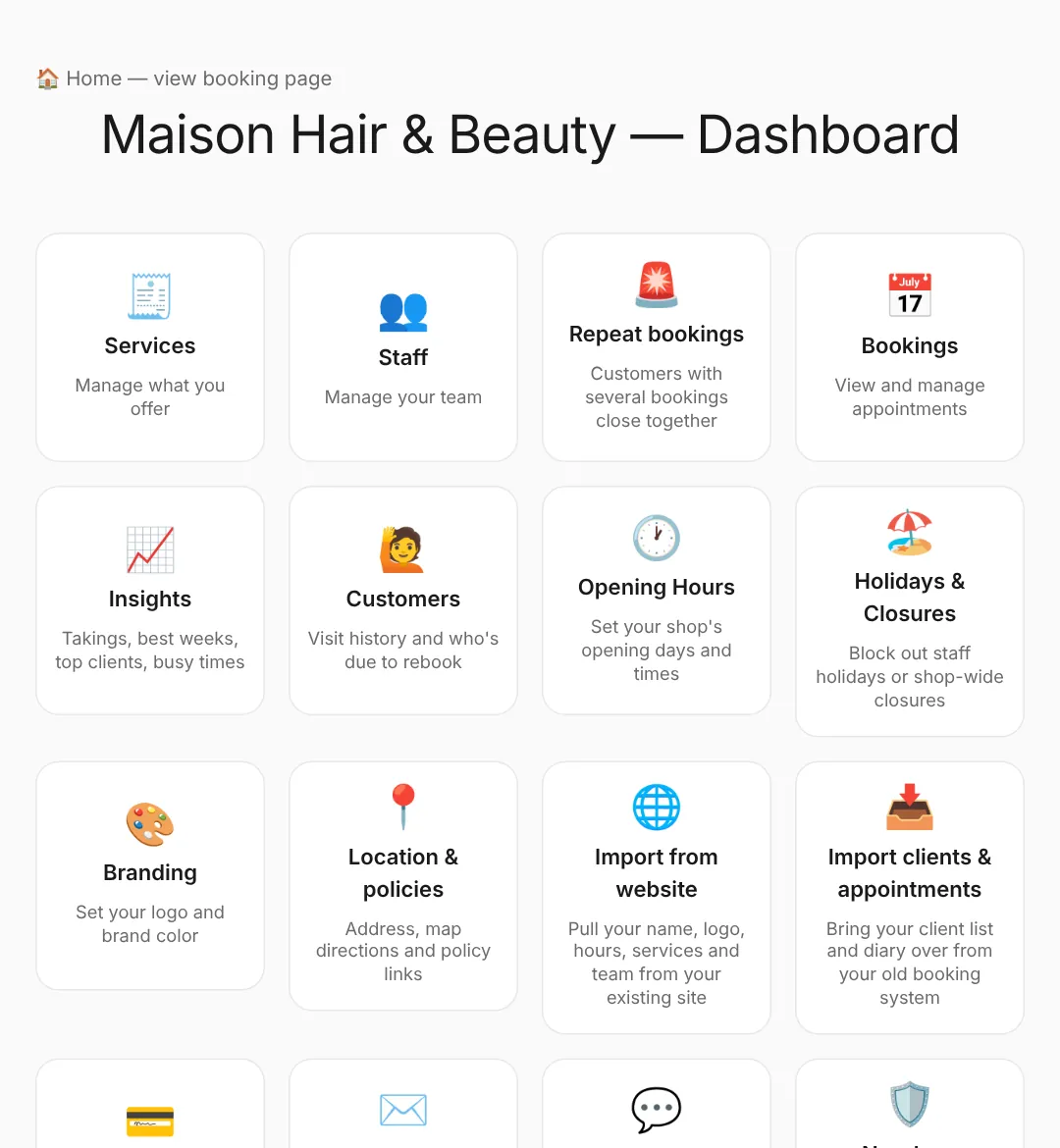
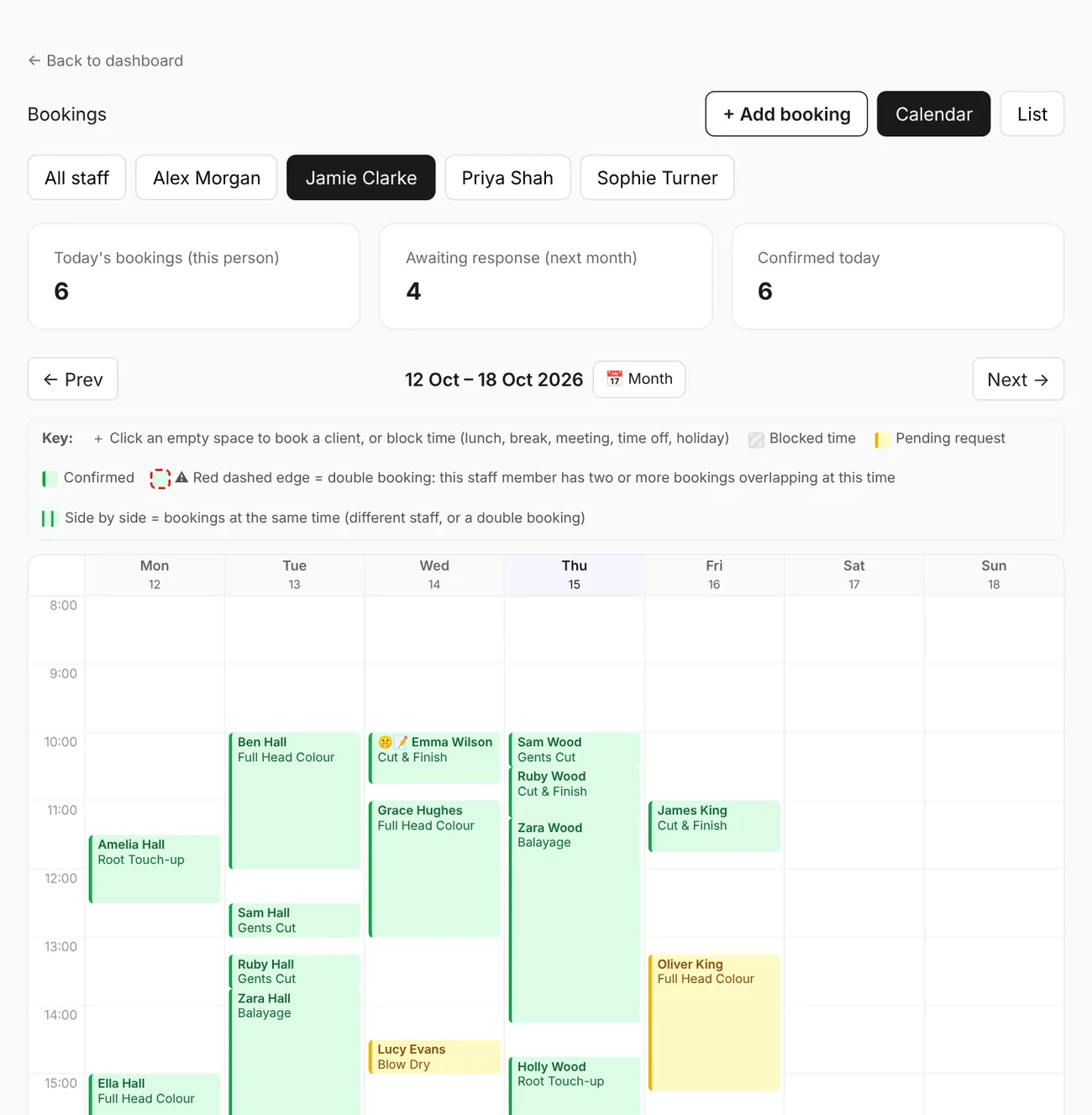
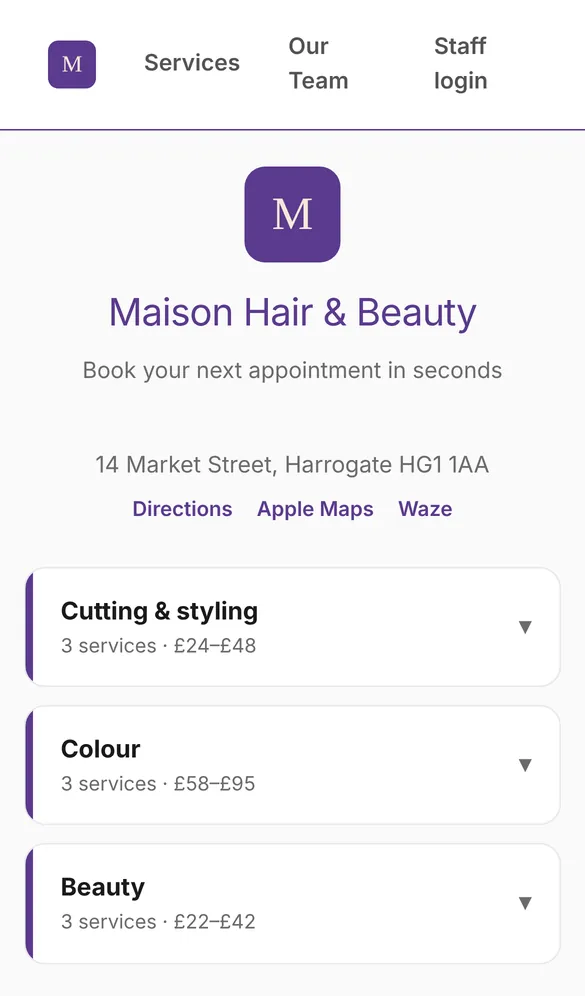
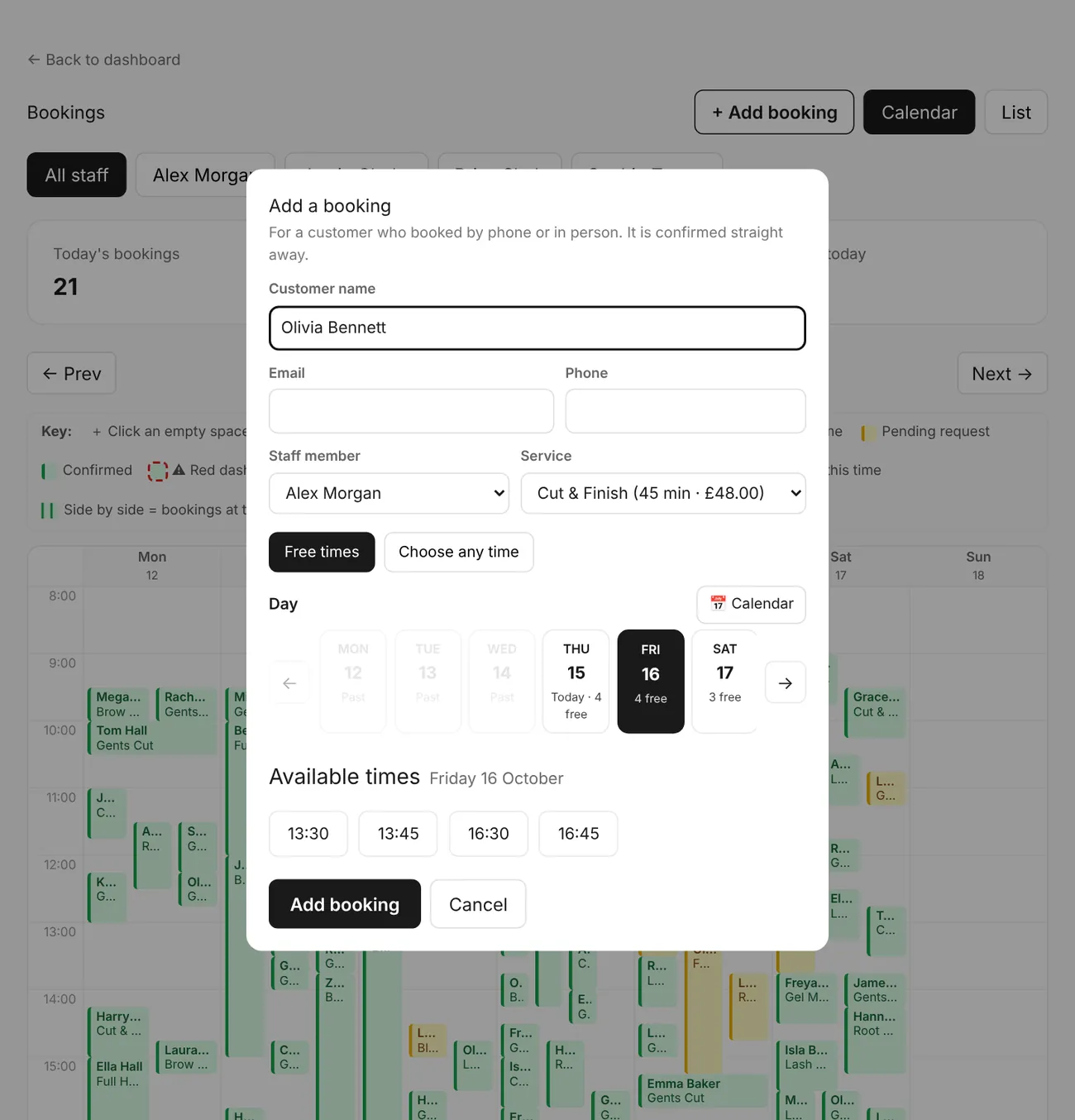
Shaped by the people who actually run these businesses
TrimBooking wasn't designed in a vacuum. Every feature here came out of real conversations with working salon owners, barbers and stylists about what actually slows their day down — it's built around how this industry runs, not a generic booking tool with a salon skin.
“Bookings mostly came in by phone or an Instagram DM, in between clients.”
→ Your own branded booking page customers can use any time, day or night.
“On the big booking apps we looked like every other salon — with our competitors listed right next to us.”
→ A booking page that's only yours: your logo, colours and font, and no other businesses on it.
“No-shows cost real money, but asking for a deposit felt awkward.”
→ No-show protection: a card is held, and only charged if they don't turn up.
“Staff didn't want management seeing their tips or every amount they'd taken.”
→ Earnings stay private to each staff member, in their own portal — by design.
“Customers kept asking for gift vouchers, and we were still writing them by hand.”
→ Gift cards sold online or at the desk — numbered, tracked, valid six months and emailed in your own design.
“We sell retail in the salon but had no easy way to sell it online.”
→ Your own online shop for products, with collection or delivery and card payments straight to you.
“I never really knew which days were quiet, or which regulars had stopped coming in.”
→ Insights shows your busy and quiet times, your best weeks, and who you haven't seen in 3 months.
Built for how your salon, barbers or grooming business runs
Your own booking page
You get a branded page at yourshop.trimbooking.co.uk where customers pick a service, staff member and time — no phone calls needed.
Your brand on everything
Add your logo, colours and font once and they carry through your booking page, team profiles, emails sent in your name and the app icon on customers' phones — your business, not a generic booking app.
Import from your website or booking page
Already have a website, or a Fresha, Booksy or Phorest booking page? Give us the address and we'll bring in your name, logo, font and colours, address, opening hours, your full service menu (categories, prices, durations, descriptions and patch tests), your team (with photos and profiles) and who does what. Review it all, skip any section you've already set up, and save — no re-typing.
Staff calendars
Set each team member's working hours, breaks and holidays — TrimBooking only offers times that are actually free. One calendar for the whole team, or one person at a time: click an empty space to book a client or block out lunch, a meeting or time off, and click a booking to edit, rebook or cancel it.
The right access for each person
You see everything. Make a trusted team member a dashboard admin to help run the shop, without billing, commission or anyone else's earnings. Everyone else gets a simple view-only dashboard where they can still add, move and cancel bookings for the whole team — so they can cover for each other.
Accept or decline requests
New bookings land as requests in your dashboard. Approve or decline with one click, right from your calendar or list view.
Automatic emails
Customers get an email the moment they request a slot, and another the moment you confirm or decline it. No manual chasing.
Repeat-booking alerts
If a customer has several bookings within 10 days — checked by name and by email separately, and extended 10 days at a time while more turn up — a colour-coded alert (yellow, orange, red by priority) appears on your dashboard and staff portal, and optionally on Telegram, SMS or WhatsApp. Review it to see every booking in full.
Phone bookings & double bookings
Owner and staff can add a booking for a customer who rang up, choosing a free slot or any date and time. Deliberately double-book a slot if you need to — overlapping appointments show side by side in the calendar.
One-click rebooking
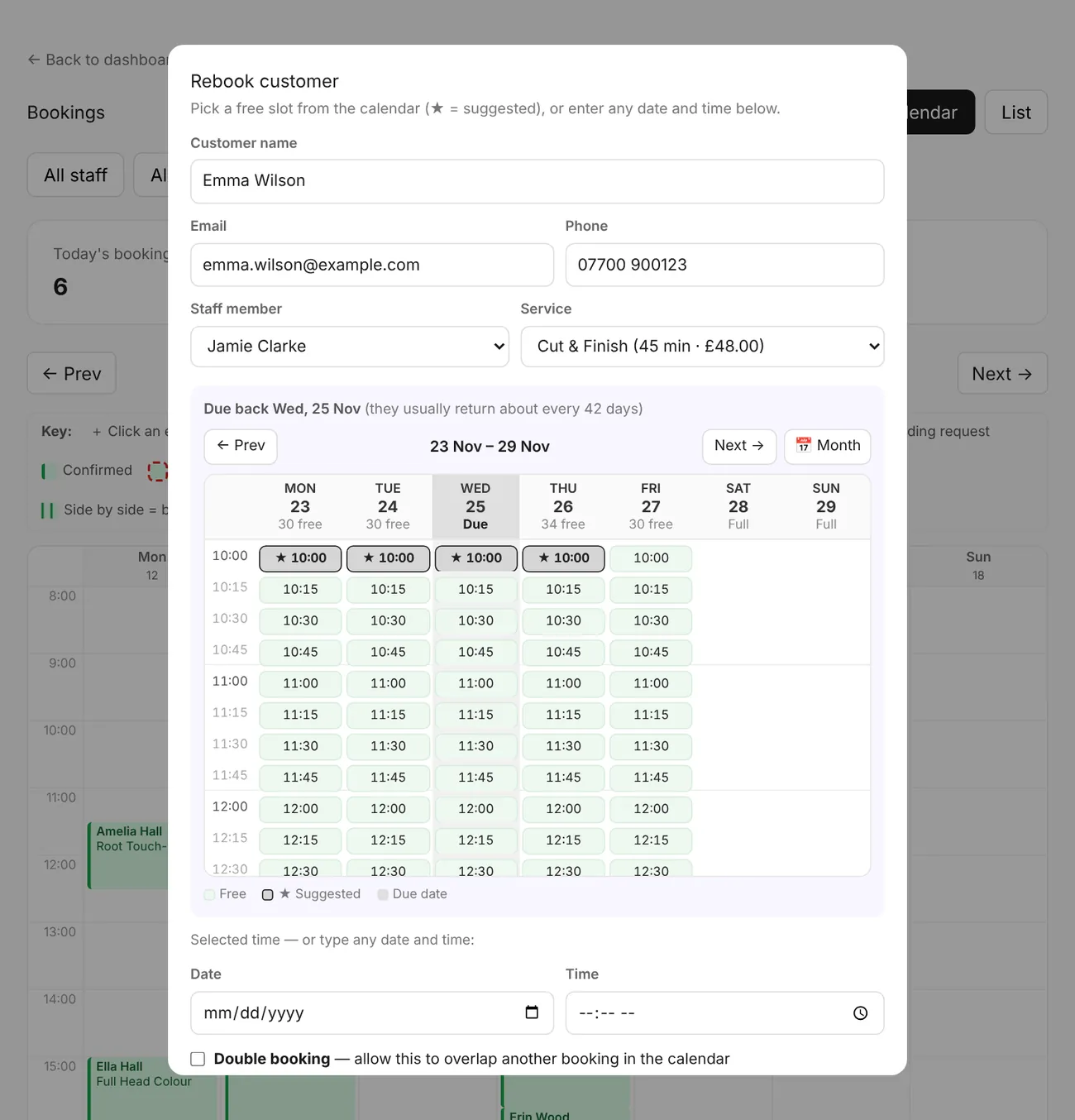
Rebook a customer from their booking on a week calendar of free slots, opened on the week they're due back (based on how often they usually visit) with the best times starred — flick back and forward a week at a time, jump to any date on a month calendar, or type any time. Once it's saved you see exactly what went in — day, date and time — so there's no need to double-check the diary. Thank-you emails the day after a visit include a Rebook button that takes them straight back to book.
Seat commission for self-employed staff
Charging a self-employed stylist a percentage for their seat? Set the commission rate per person and your Insights page shows you — and only you — the commission due each month. Their earnings stay private. They see a note on their own dashboard that the percentage is shared with you.
Self-employed staff manage their own hours
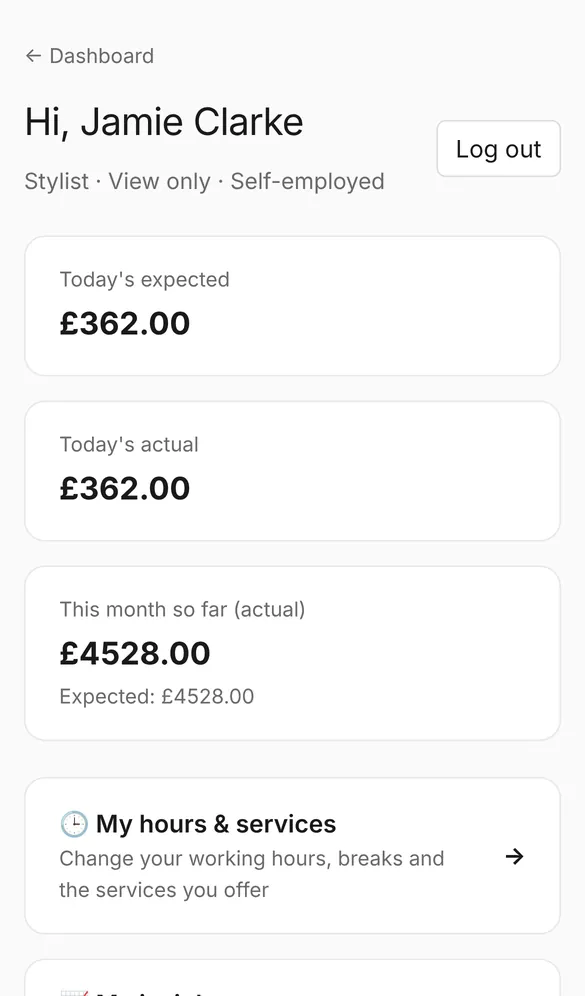
Self-employed team members change their own working hours, breaks and the services they offer from their staff portal, with no need to ask you. Employed staff can too if you give them Admin (schedule) access — otherwise they stay under your control.
Services & pricing
List your services with prices and durations, group them into categories customers tap to open, and assign them to the right staff in minutes. Hide the price on any service you quote for on consultation.
No-show protection
Turn it on and customers add a card when booking — nothing is charged unless they don't show up. You choose the fee, and staff get paid out directly.
Insights
See takings and how full your diary is this week, last month or this tax year — compared with last week and last year. Spot your best week, your top 10 spenders, clients you haven't seen in 3 months, and your busy and quiet times.
Parallel treatment
For a long service that doesn't need you the whole time — a colour, a perm — mark which minutes actually need your attention. The rest of the appointment opens back up for someone else to book.
Employed or self-employed staff
Mark each team member employed or self-employed (chair rental). An employed member's earnings appear in your own Insights revenue; a self-employed member's takings are their own business and stay private to their portal.
Multiple businesses, one login
Own more than one shop? Add another business from your dashboard under the same login — no separate email or password needed.
Suggest another time
Can't do the time a customer asked for? Instead of declining, offer a different free slot with a short note. The new time is held for them, they get an email, and the booking is only confirmed once they accept it — or they can pick another time themselves.
Photos & documents with bookings
Customers can attach a photo or document when they book — a picture of what they need, or a form you've asked for. It's private to you and the staff member, shown on the booking, and — if you use Telegram alerts — sent straight to your chat.
Notes & quiet appointments
Customers can leave a short note to help you prepare, and ask for a quiet appointment if they'd prefer little or no chat. Switch the quiet option off for any service where it doesn't apply.
Customer notes & treatment history
Keep a dated log for every client — colour formulas, treatments, preferences, patch-test results. Tap “+ Add note” and the date and time are filled in for you (or set an earlier date to log past treatments). Every note shows who wrote it, and the whole team sees it — open any booking and tap “View customer profile”.
Patch tests for colour, lash & brow
Switch on “Needs a patch test” for any service and customers are told before they pick a time. They either confirm they've had one with you, or are asked to contact you to arrange it — they can still book. Those bookings always wait for you to confirm, are flagged on your calendar, and you or your staff tap “Mark patch test done” once it's been carried out.
Choose a staff member — or anyone available
Let customers pick who they'd like to see, or choose “Anyone available” to see every free time across the team. Or switch the choice off for a service and each booking simply goes to whoever is free.
Separate calendars for mobile & off-site teams
Give a category its own calendar — off-site visits, collections, remote sessions — so those bookings run alongside your in-shop diary without blocking it. How many can be booked at once is simply how many staff you link to them.
Your own online shop & gift cards
Switch on a Shop page to sell your retail products and gift cards online. Add pictures, prices, descriptions and stock, offer collection or delivery, and customers pay securely by card through Stripe — straight into the owner's payout account. Orders land on your dashboard to mark as sent or collected. Sell gift cards online at any amount or in the salon — each has its own serial number, a six-month expiry and a tracked balance, and is emailed to the buyer in your own design with your logo. Self-employed staff can sell cards that belong to them, clearly marked “Valid with [name] only”.
Loyalty scheme
Reward your regulars automatically. Choose whether customers earn by number of visits or by total spend, and what they get: money off, a percentage off, a free service or a gift. TrimBooking counts it for you and shows “Reward due” on their booking, so whoever's on knows. Mark it given and their progress starts again.
Customer reviews
Switch on reviews and customers can rate their visit from 0 to 5 stars and leave a comment, from their own booking link once the appointment has happened — so every review comes from a real customer, once per booking. Show them on your booking page with your average star rating, reply to any review, or keep them private. If one is unfair or malicious, hide it: nobody sees it but you and your admins, and it doesn't count towards your rating.
Service info & team profiles
Add a description to any service — what's included, aftercare, how long it lasts — and customers tap “Info” to read it without leaving your menu. Each team member gets a profile page with their photo, role and bio.
Bring your clients & appointments with you
Moving from Fresha, Vagaro, Booksy, Timely, Phorest, Square, Setmore, Treatwell or Revyfy? Upload their client and appointment export (CSV or Excel) and your client list and future bookings come straight across — no reminders are sent for imported appointments.
TrimBooking app for iPhone
Run your diary from your phone with the free TrimBooking app for shops and staff: today's bookings, approve requests in a tap, add walk-ins, move and rebook appointments, and get a notification when one of your bookings comes in. Android app coming soon.
Customers book with nothing to download
Your customers never need an app: they book from your link. Add your booking page to a home screen and it opens full screen with your logo, like an app.
Up and running in three steps
Set up your business
Add your services, staff, opening hours and branding.
Share your link
Send customers to yourshop.trimbooking.co.uk or add it to Instagram and Google.
Manage bookings
Accept, decline or reschedule requests from one simple dashboard.
Ready to stop taking bookings by phone?
Get your business set up with its own booking page — free for 30 days, no card required.